
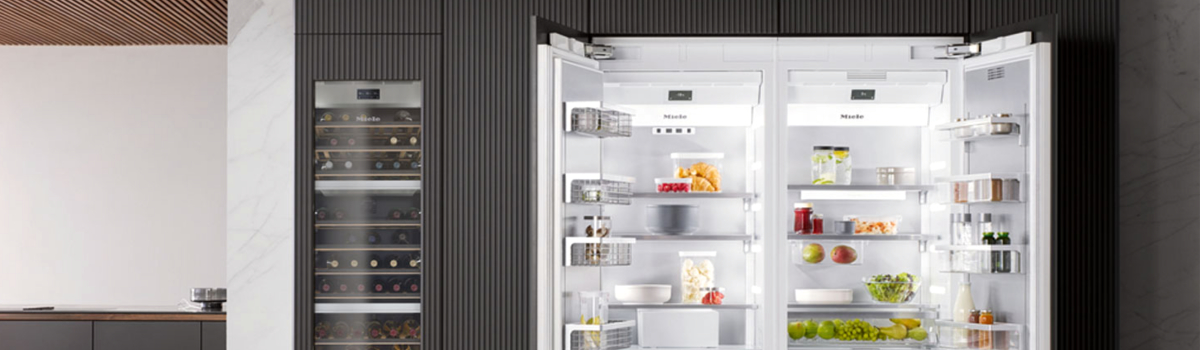
If your Miele refrigerator just flashed F0 on the display, don’t panic. This error code points to a problem with the fresh-air BioFresh sensor — a small but important component that helps keep fruits, vegetables, and other perishables at ideal humidity and temperature. Below you’ll find a clear, easy-to-read guide that explains what the fault is, why it happens, how to check and fix some problems yourself, and simple preventive steps so it’s less likely to return. The post alternates short text paragraphs with compact lists so it’s friendly for casual readers and helpful for people who want a quick checklist.
Quick overview — what F0 signals
Miele’s BioFresh system creates a controlled microclimate in special drawers for long-lasting freshness. When the fresh-air BioFresh sensor stops sending a believable reading, the refrigerator shows the F0 error. That means the fridge can’t guarantee the BioFresh compartments are being ventilated or kept at the expected conditions, so the appliance flags the fault to prevent spoilage or further damage.
What the fresh-air BioFresh sensor actually does
The fresh-air BioFresh sensor monitors airflow and the conditions that affect the BioFresh drawers. It tells the control electronics when to admit fresh air or adjust ventilation so the drawer temperature and humidity stay within the programmed range. Without accurate readings from this sensor, the system can’t regulate those microclimates reliably.
Common causes of F0
- Blocked or jammed airflow in the BioFresh area (drawer not seated, food or packaging obstructing vents).
- Dirt, condensation, or ice around the sensor that prevents accurate sensing.
- A loose or corroded connector or harness between the sensor and the control board.
- A failed fresh-air sensor (electrical fault or age-related failure).
- Less commonly: control-board input fault or software glitch.
First, quick safe checks you can do right away
Start with non-technical steps that often fix false errors and can save time before a deeper diagnosis.
- Open the BioFresh drawers and inspect for obvious obstructions — packaging, a bag stuck behind the drawer, or food blocking vents.
- Make sure drawers sit flush and slide smoothly; a partially open or misaligned drawer can upset airflow.
- Remove few items if shelves are packed tightly around vents — improving circulation often clears the fault.
- Power-cycle the fridge by unplugging or switching off the breaker for two minutes, then restore power and watch the display.
If the code clears after these steps, monitor the fridge for a day or two to confirm it doesn’t return.
Tools and basic safety before you start deeper checks
Working around refrigerators is generally low voltage, but safety still matters. Always unplug the appliance before you access internal components. Use good lighting and avoid sharp edges in the cabinet.
Helpful items to have:
- Soft cloths and a small brush for cleaning.
- A small flashlight.
- Needle-nose pliers (for careful connector inspection).
How to inspect and clean the BioFresh sensor area (DIY)
If the quick checks didn’t help, a careful visual inspection and light cleaning often solves sensor problems caused by grime or condensation.
- Remove food from the BioFresh drawers and pull the drawer out fully so you can see the back and sides of the compartment.
- Look for the sensor: it’s usually a small probe or housing near the airflow vents in the BioFresh area.
- Gently wipe around the sensor housing with a dry soft cloth. If there’s visible sticky residue, slightly dampen the cloth with water (no harsh chemicals) and dry thoroughly.
- If there is frost or ice, leave the drawers open and allow ice to melt, or temporarily move sensitive food to another cold place while you defrost and dry the sensor area.
- Reassemble and power the unit back on to see if F0 clears.
Checking connections and harnesses (what to look for)
A loose plug or corroded connector is a common, simple cause of sensor faults. You don’t need specialized tools for a visual check, but be gentle.
- With the power off, remove the drawer and locate the connector behind the sensor if accessible.
- Inspect the plug and pins for discoloration, corrosion, or bent pins. Wiggle the connector gently — a loose fit can cause intermittent errors.
- If contacts look dirty, clean them carefully with a dry cloth; if corrosion is heavy, replacement of the connector or professional repair is recommended.
When the fresh-air sensor itself is likely the problem
If cleaning and reconnecting don’t fix the code, the sensor may be electrically failed. Symptoms that point to a bad sensor include persistent F0 after cleaning, or intermittent F0 that appears and disappears with no visible cause.
If you’re comfortable with small repairs:
- Identify the sensor part number for your exact Miele model (match the fridge model, not just “Miele”).
- Order the OEM replacement or a manufacturer-specified equivalent.
- Replace the sensor per the service manual or part instructions: usually unscrew the sensor housing, unplug the connector, swap the part, and reassemble.
If you’re not comfortable: call a qualified technician — sensor replacement is straightforward for pros and they’ll confirm compatibility and install safely.
When the control board might be at fault
If the sensor tests good, connectors are clean, and the code persists, the control electronics that read the sensor could be malfunctioning. Signs that point to a control-board issue include other unrelated errors, unexplained behavior on the display, or visible damage on the control module.
A failed control board usually requires professional diagnosis and replacement. Technicians can run diagnostic routines, verify voltage and signal lines, and replace or reprogram the module if needed.
Preventive tips — keep F0 from coming back
- Don’t overpack drawers; airflow paths and vents must remain clear.
- Wipe spills quickly and keep drawer seals clean so moisture doesn’t condense near sensors.
- If you notice minor frost forming, defrost and dry before it grows — ice buildup often interferes with sensors.
- During regular fridge cleaning, include a quick check of BioFresh vents and the sensor area.
- When service is done on your appliance, ask the technician to inspect harness routing and secure connectors so wires aren’t pinched or stressed.
Short troubleshooting checklist to print or save
- Inspect BioFresh drawers for obstructions and ensure they close fully.
- Power-cycle the refrigerator.
- Clean around the sensor and dry any condensation.
- Check plug and harness for corrosion or looseness.
- Replace the sensor if cleaning/inspecting doesn’t help.
- If sensor replacement doesn’t resolve F0, pursue professional control-board diagnosis.
Final notes — what to expect and how long it takes
Many F0 issues are fixed quickly by clearing blockages or cleaning the sensor housing — a 15–30 minute job. Replacing a failed fresh-air sensor can be a short DIY job if you have the right part, or a technician can install it in under an hour. Control-board problems take longer and usually require a pro because they involve ordering the correct module and ensuring safe electronic handling.