
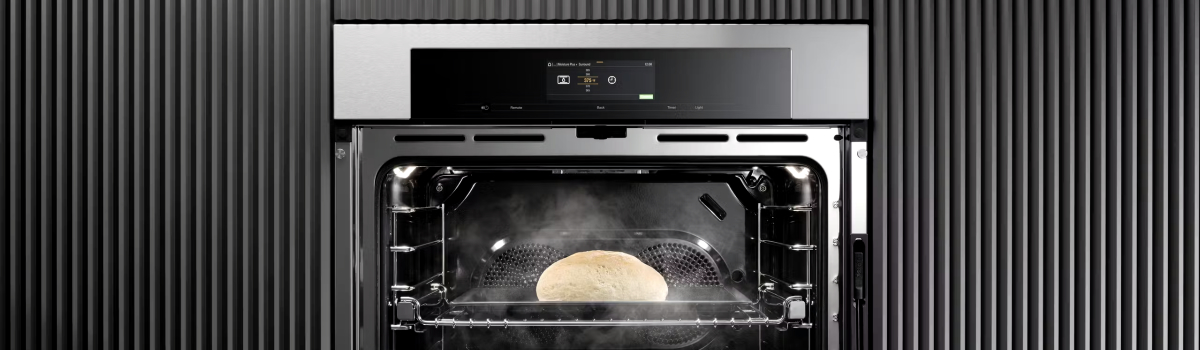
Miele ovens are built for precision and durability, but they’re still complex electrical appliances. If your oven shows Error Code F5, that usually points to a problem with the PT1000 temperature sensor (sometimes referred to as the thermostat or temperature probe). This page explains the fault in plain American English, walks you through likely causes, gives safe do-it-yourself checks and step-by-step repair guidance, and lists straightforward preventive measures so the error is less likely to return. The layout alternates readable text blocks with compact lists so the article is friendly for both quick scanning and deeper reading.
What F5 means for your oven
Miele’s F5 code signals that the oven’s temperature-measuring system is not giving a reliable reading. The PT1000 sensor reports oven temperature back to the control electronics. When that communication fails or the measurement is out of range, the oven may shut heating elements off or show the error so the unit won’t run at unsafe or unpredictable temperatures.
- Oven may refuse to reach or hold set temperatures.
- Baking and roasting can become inconsistent.
- In rare cases the control system will lock out heating to prevent overheating.
The problem — explained simply
The PT1000 is a precision resistance sensor: its resistance changes with temperature in a predictable way. The control board expects a specific resistance value at room temperature and predictable changes as the oven heats. If the sensor becomes damaged, disconnected, or shorted, the control board receives a value that doesn’t make sense and throws F5. Sometimes the wiring or connector is the culprit instead of the sensor itself. If both sensor and wiring are okay, the control electronics that read the sensor may be faulty.
Common causes of F5
- Sensor element (PT1000) has failed from age, heat stress, or physical damage.
- Wiring harness is frayed, pinched, burned, or has a loose connector.
- Moisture or grease corrosion at the connector causing intermittent readings.
- Control board’s input circuit for the sensor is damaged.
- A previous repair or impact knocked the sensor slightly out of position.
Safety and tools — read this before you start
Before you touch anything inside the oven, disconnect power at the breaker or unplug the appliance. Allow the oven to cool completely. Use insulated tools and eye protection. If you are uncomfortable working with electrical appliances, stop and contact a certified appliance technician. Safety first — always.
- Multimeter with resistance (ohms) scale.
- Basic screwdrivers to access the sensor mounting screws.
- Gloves and good lighting.
Step-by-step DIY diagnostic & basic repair
- Cut power to the oven at the breaker and confirm it’s off.
- Open the oven and locate the PT1000 sensor — usually a thin probe on the rear inner wall held by two screws.
- Remove the screws and gently pull the sensor forward, exposing the wiring connector.
- Disconnect the sensor from the harness; avoid pulling on the wires.
- Set your multimeter to measure resistance (Ω). Measure across the two sensor pins. At room temperature the PT1000 should show around 1000 ohms (the exact value will vary slightly by model — roughly 1,000 Ω).
- Interpret the reading:
- Reading close to the expected value → sensor likely OK.
- Open circuit (OL) or extremely high/low reading → replace the sensor.
- Inspect wiring and connector for burns, corrosion, or broken insulation. Clean or repair the connector if dirty or corroded.
- Reattach and restore power to recheck. If the error persists after a verified good sensor and wiring, the control board may need diagnostic testing or replacement by a pro.
How to replace the PT1000 thermostat/sensor (overview)
Replacing the sensor is often a straightforward part swap if you can access it safely.
- Order the correct OEM replacement part for your exact Miele model.
- Remove the interior panel or racks necessary to reach the sensor.
- Unscrew the sensor, unplug the connector, and fit the replacement in the same orientation.
- Reconnect and power the oven to confirm normal operation and that the error is gone.
If, after replacing the sensor, F5 remains, the control board or its wiring path should be evaluated by a qualified technician.
When to call a professional
If you’re not comfortable with electrical testing, if the wiring has burn damage, or if the control board appears to be at fault (burn marks, multiple unrelated errors, or intermittent behavior), call an authorized repair technician. Board-level repairs and replacements require experience, correct parts, and sometimes special calibration or programming.
- Control board replacement is more complex than sensor replacement.
- Technicians can test board inputs, confirm warranty coverage, and ensure safe installation.
Preventive care — keep F5 away
- Don’t force or knock the sensor when placing cookware or cleaning the oven.
- Keep the sensor area clean from heavy grease or food spills that can corrode connections.
- Avoid using abrasive cleaners or strong steam directly on electrical connectors.
- When any service is performed, ask the technician to inspect the sensor wiring and connectors for strain or pinch points.
- Run basic oven self-tests or calibrations if your model supports them after major repairs.
Final thoughts — practical expectations
Fixing an F5 error often comes down to a small part (the PT1000 sensor) or a connector that needs cleaning. That makes many F5 repairs fairly quick and affordable compared to control board issues. Replacing a thermostat/sensor is a good DIY project for someone with basic tools and a multimeter, but don’t hesitate to call a pro if electrical work or board diagnostics are required. Taking a few preventive steps now — careful cleaning, gentle handling, and routine checks — reduces the chance of future F5 errors and keeps your Miele oven cooking reliably.